Know your Claude limits
before they surprise you.
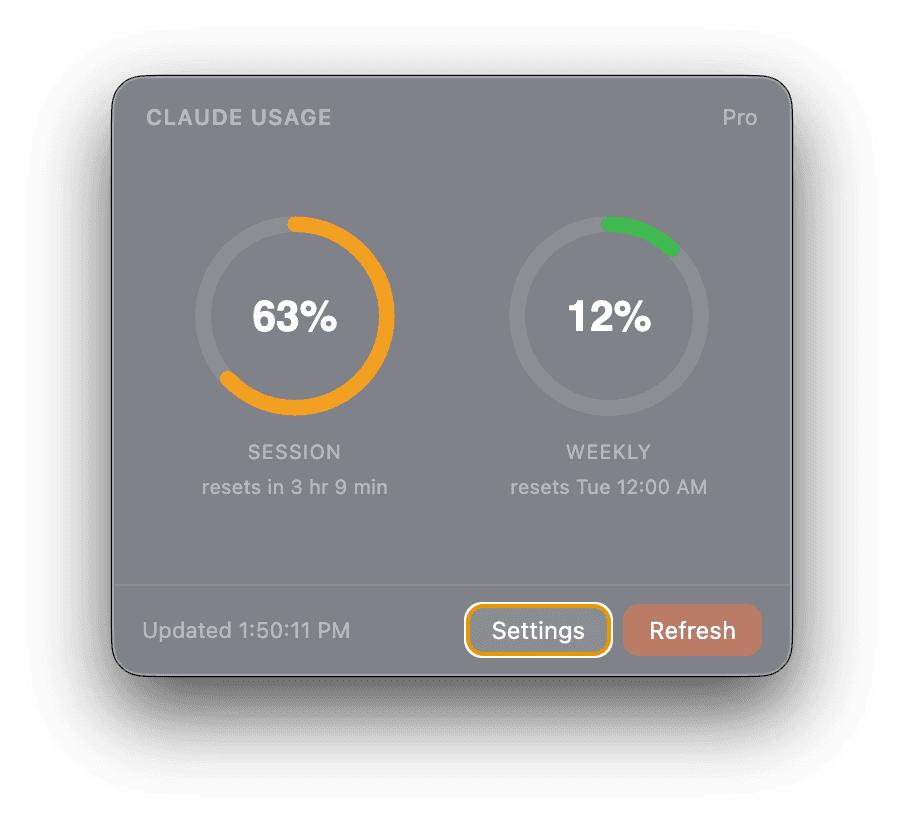
A lightweight macOS menu bar app that shows your Claude.ai session and weekly usage — as circular gauges, always a glance away.
Installation
macOS will block the app on first launch since it's unsigned. Follow these steps after downloading:
- 1.Try to open the app normally — it will be blocked
- 2.Open System Settings → Privacy & Security
- 3.Scroll to the Security section
- 4.Click "Open Anyway" next to Claude Usage Bar, then confirm
If System Settings doesn't work, remove the quarantine flag macOS sets on downloaded files:
Then open the app normally.
Features
Session & Weekly tracking
Two circular arc gauges display your session and weekly usage at a glance. Know exactly where you stand.
Accurate reset times
See exactly when your session and weekly counters reset — down to the minute. No more guessing.
Lightweight & native
Lives in your menu bar and stays completely out of your way. No background services, no Dock icon.
Configurable polling
Set your preferred refresh interval. Claude Usage Bar stays current without interrupting your flow.
How it works
Download & install
Drop the app into your Applications folder. It appears in your menu bar immediately.
Connect to Claude
Sign in with your Claude.ai account. Your session cookie is captured and stored only on your Mac.
Always in view
Click the menu bar icon any time to see your live session and weekly usage as circular gauges.
Privacy-first, by design.
Your session cookie lives only on your Mac. Nothing is sent to any external server. Usage data is read locally, directly from Claude.ai.
In context
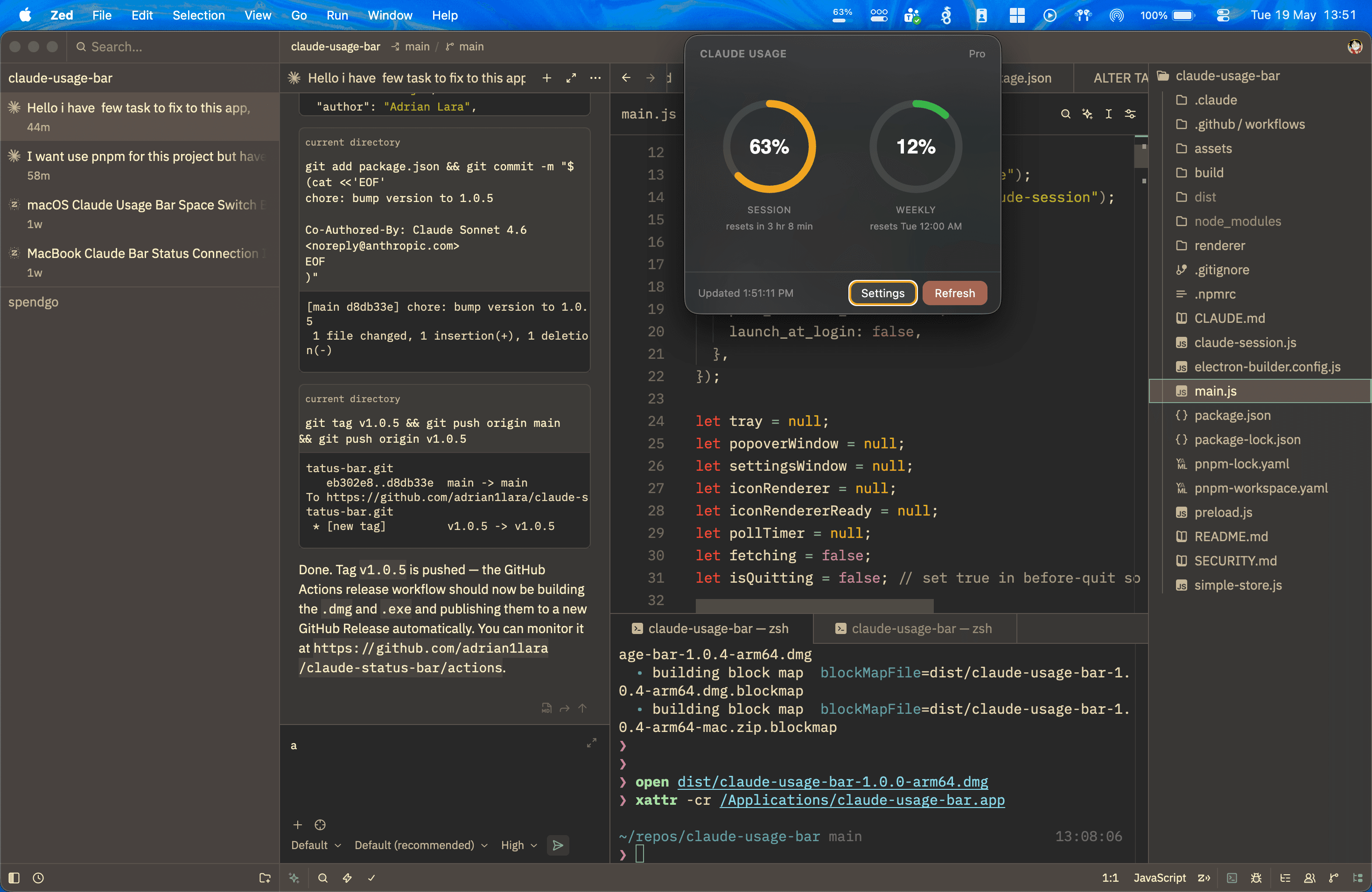
Sits quietly in your menu bar — visible whenever you need it.
Settings
Simple to configure.
Nothing to figure out.
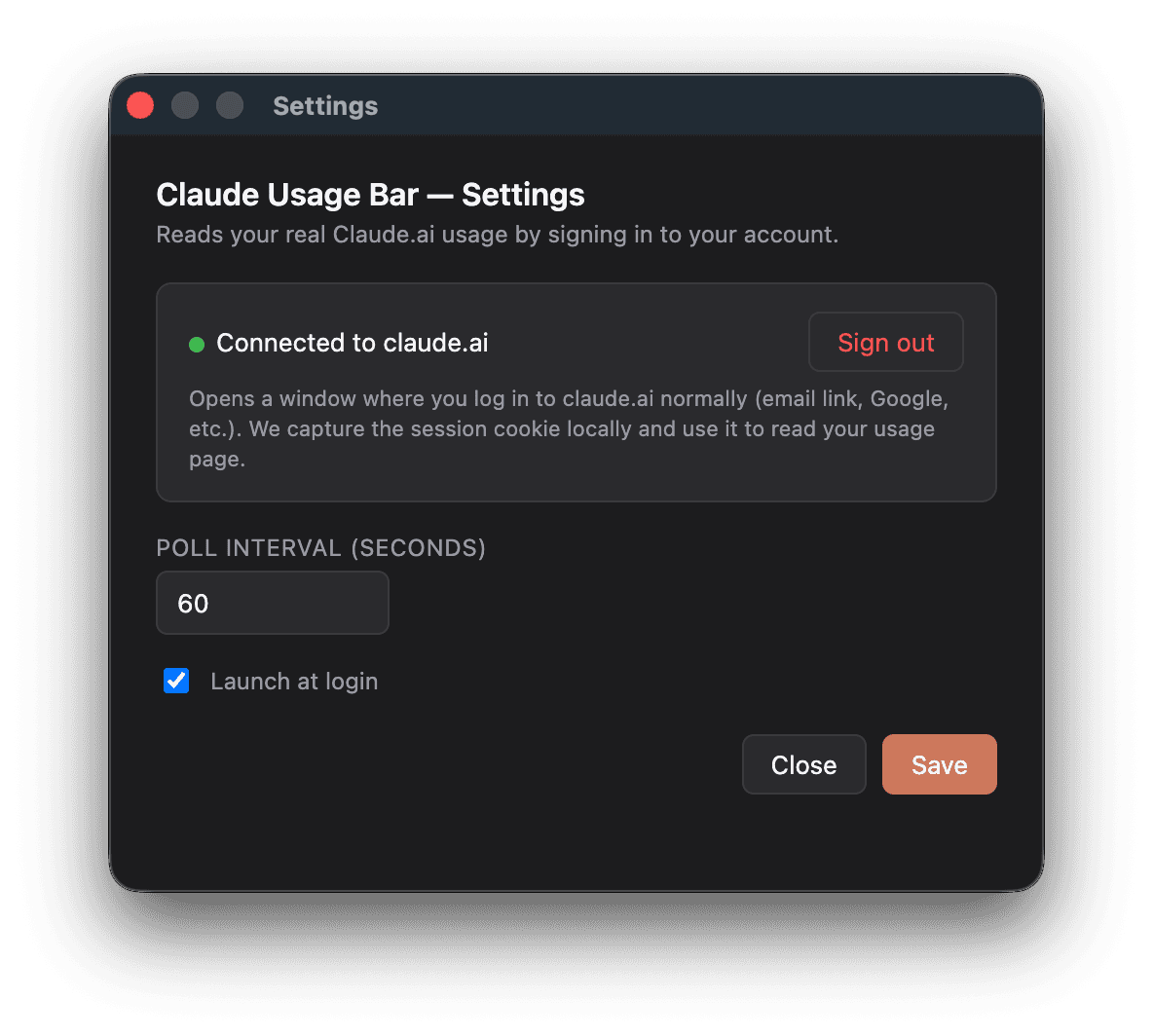
Sign in once with your Claude.ai account. Set your preferred poll interval. That's it. No accounts, no dashboards, no subscriptions.
Stop guessing your usage.
Free, open source, and always in your menu bar.